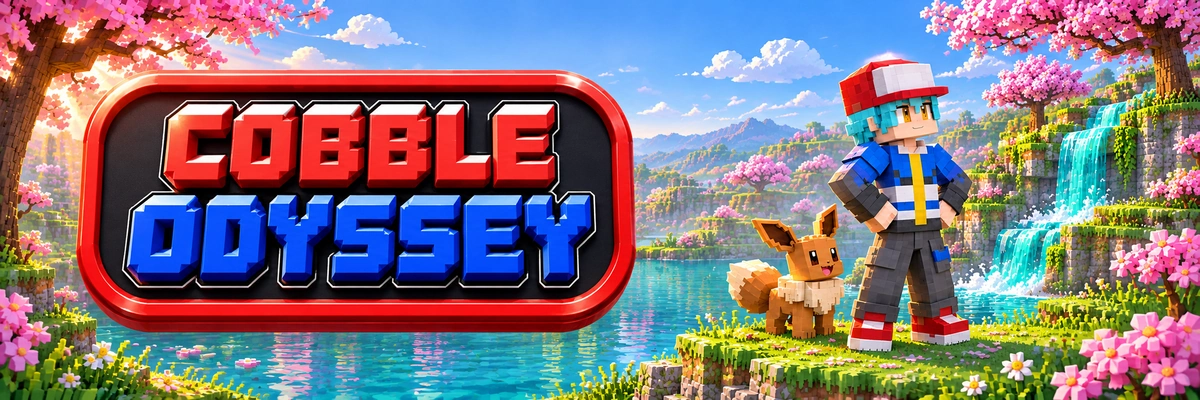
COBBLE ODYSSEY
Cobblemon Oficial on Fabric 1.21.1 featuring Cobble GO. World freshly regenerated on Nov 13 with Terralith terrain and ALL Cobbleverse regions active (Kanto, Johto, Hoenn, and Sinnoh)! Join Team Mystic, Valor, or Instinct, conquer gyms, and spin PokéStops.
Pokémon GO Inside Minecraft
Alongside Cobblemon, the server features Cobble GO, our custom mod. Everything is detailed in the wiki.
Three Teams
Mystic, Valor, or Instinct, each with its own lobby, and a central plaza featuring gyms.
Conquerable Gyms
Claim them for your team, assign defenders, and rivals can battle to take them back.
PokéStops & Lures
Spin them for valuable items and place lures to attract wild Pokémon.
Max Battles
Cooperative Dynamax and Gigamax raid bosses, followed by a catch phase.
Team GO Rocket
Invaded PokéStops, Giovanni, and shadow Pokémon waiting to be rescued.
Seasonal Battle Pass
Level up simply by playing and unlock exclusive cosmetics.
How to Get Started in 3 Steps
Begin your Pokémon adventure on COBBLE ODYSSEY in just minutes from any Minecraft launcher.
-
1
Open Any Launcher
Launch your preferred Minecraft Java client: Modrinth App, CurseForge, official Mojang launcher, Prism Launcher, or the official Odyssey Launcher.
-
2
Load Cobblemon (Fabric 1.21.1)
Install the official Cobblemon modpack on Fabric 1.21.1 with Java 21, or pick the Full or Light profile with one click via Odyssey Launcher.
-
3
Connect to Official IP
In Multiplayer, join play.odysseylands.com (no port needed). Premium accounts join directly (we recommend
/premium); non-premium players use/register <password> <password>and/loginin chat. Choose your starter Pokémon and set off!
Keybinds & Shortcuts
Default keyboard shortcut reference for Cobblemon, management interfaces, and network features.
| Key | Action | Description & Utility |
|---|---|---|
| G | Call Mount | Calls the selected Pokémon mount from your party (Rider's Call). Press Shift to dismount. |
| F9 | Mount Camera | Adjust camera distance and position while riding. |
| M | Map | Opens the Diorama full-screen map with Pokémon icons. World waypoints can be hidden in Settings. |
| ' | New Waypoint | Creates a waypoint at your current location (apostrophe key). |
| N | Waypoint List | View, organize, and edit your saved waypoints. |
| + / - | Minimap Zoom | Zoom the minimap in or out. |
| V | Voice Talk | Hold to talk using proximity voice chat (Push-to-Talk). |
| X | Voice Groups | Opens the voice chat groups and channels menu. |
| Ñ / Mute | Mute Microphone | Mute or unmute your voice microphone in game. |
| B | Sophisticated Backpack | Opens your equipped Sophisticated Backpack. |
| 5 (num.) | Traveler's Backpack | Opens your equipped Traveler's Backpack (numpad 5). |
| P | Pokémon PC | Access your Pokémon PC storage boxes from anywhere. |
| C | Party Summary | Check stats, moves, and status of your Pokémon party. |
| R | Send Out Pokémon | Send out or recall your selected Pokémon. |
| H | Hide Party HUD | Show or hide the party sidebar overlay. |
| K | Badge Case | Opens your gym badge case. |
| J | Battle Pass | Opens the battle pass to view and claim rewards. |
| O | Quests | Opens the quest book (FTB Quests). |
| Y | Rotom Phone | Opens your Rotom Phone apps and features. |
| U | Catch Rate | Toggle the capture rate indicator display. |
| F4 | Land Claims | Opens the claimed chunks management screen (FTB Chunks). |
| L | Advancements | View your achievements and advancements. |
Official Download & Setup
The official and recommended way to play on COBBLE ODYSSEY is through our official Windows launcher: automatic 1-click setup, seamless updates, and support for Full or Light profiles.
Open Access (Premium & Non-Premium Accounts): The server welcomes both official Microsoft accounts and non-premium players. Premium accounts join directly (we recommend typing /premium for permanent passwordless auto-login). If playing without premium, register in chat with /register <password> <password> on your first visit and /login <password> afterwards. The Odyssey Launcher supports Microsoft accounts and community Discord profiles.

Installation Steps with Odyssey Launcher
Start playing COBBLE ODYSSEY in just 4 simple steps without manual configuration.
-
1
Download the Launcher
Download the official Odyssey Launcher desktop app for Windows and install it on your PC.
Download .exe -
2
Choose Full or Light
Select COBBLE ODYSSEY and pick your profile: Full (maximum visuals) or Light (optimized engine for low-RAM systems).
-
3
Automatic Setup
The launcher handles official Mojang assets, Fabric, Java 21, and dependencies with zero manual configuration.
-
4
Play Instantly!
Click Play. The server is already added to your Multiplayer list: join and jump right in!
On Discord hay un bot que une tu cuenta de Minecraft con la de Discord.
Community screenshots
Screenshots sent by our players will appear here.
No screenshots yet. Send yours on our Discord and they will appear here!
Go to DiscordHaving Trouble Joining?
Open a support ticket on the COBBLE ODYSSEY Discord.
