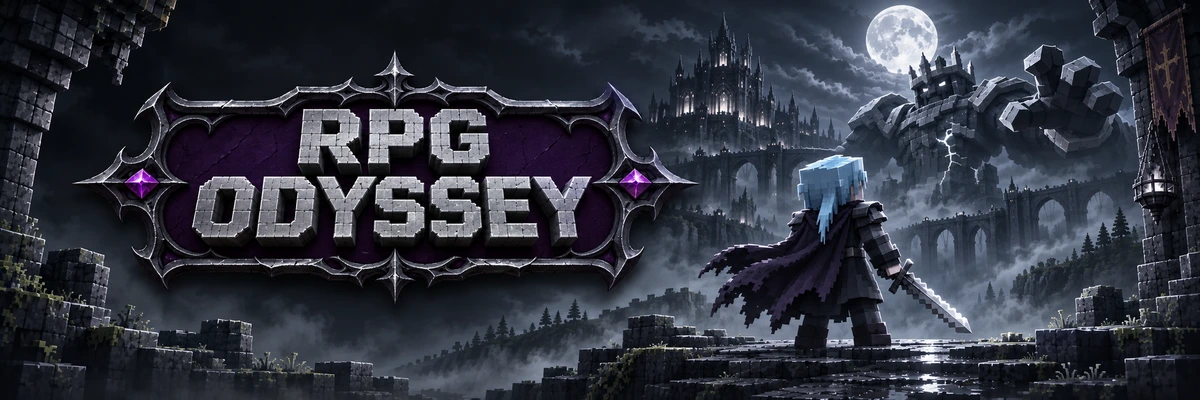
RPG ODYSSEY
An RPG server for Minecraft Java with 219 mods: Epic Fight combat, Iron's Spells magic and bosses like Ignis and the Leviathan. Your mission: recover the lost sparks and bring them back to the altar.
Combat, magic and colossal bosses
No locked classes: your combat identity comes from your weapons, armors and spells. Detailed in our wiki.
Classless combat
Epic Fight with combos, stamina and dodge mechanics.
Elemental magic
Iron's Spells with 10 elemental schools and spellbooks.
Dungeons & bosses
Cataclysm and Dungeons Arise with instanced Lootr chests.
Forge & gems
Apotheosis with socketed gems, mythic affixes and elites.
Land claiming
FTB Chunks to safeguard bases and FTB Teams for parties.
NightfallCraft: The Casket of Reveries
Official acknowledgement to the base pack created by P1nero and team, adapted for ODYSSEY.
How to Get Started in 3 Steps
Gear up for action RPG, tactical combat, and elemental sorcery on RPG ODYSSEY from any client.
-
1
Open Your Preferred Launcher
Launch any Minecraft Java client: Modrinth App, CurseForge, official Mojang launcher, Prism Launcher, or the official Odyssey Launcher.
-
2
Load NightfallCraft (Forge 1.20.1)
Install the official RPG ODYSSEY modpack on Forge 1.20.1 with Java 17 and 6 to 8 GB RAM, or set it up in one click with the Odyssey Launcher.
-
3
Connect to rpg.odysseylands.com
In Multiplayer, join rpg.odysseylands.com (no port needed). Direct in-server login (PAuth mod): premium accounts connect instantly with no password; non-premium accounts register in chat with
/register <password> <password>and then/login <password>. No waiting rooms or limbo!
Keybinds & Shortcuts
Default keyboard shortcut reference for Cobblemon, management interfaces, and network features.
| Key | Action | Description & Utility |
|---|---|---|
| B | Backpack | Open and organize your portable expanded backpack inventory. |
| K | Pokémon PC | Access Pokémon PC box storage anywhere in the world. |
| C | Party Menu | Open party Pokémon interface to view stats, EV/IVs, and movesets. |
| H | Hide Party | Toggle on-screen Pokémon party HUD overlay visibility. |
| R | Send Out Pokémon | Send your selected Pokémon into the world to battle or recall it back. |
| L | Advancements | View your progress tree and completed achievements across the journey. |
| P | Season Pass | Check your Battle Pass tier, active seasonal quests, and claim rewards. |
| O | Quests | Open the interactive FTB Quests book and track story objectives. |
| M | World Map | Open full-screen world map, landmarks, waypoints, and biome radar. |
| Y | Rotom Phone | Open Rotom Phone tools, apps, and specialized utility features. |
| F4 | Claims & Land | Toggle chunk boundaries and manage safe territory claims. |
| V | Voice Chat | Open proximity voice chat settings, volume sliders, and channels. |
| G | Teams & Parties | Manage your player group, friends team, and shared base permissions. |
| Ñ / Mute | Mute Mic | Quickly mute or unmute your voice microphone in game. |
| T | Chat | Open text chat box to communicate with players and enter commands. |
Official Download & Setup
The official and recommended way to play on RPG ODYSSEY is through our official Windows launcher: automatic 1-click setup, Java 17 configuration, and support for Full or Light profiles.
In-Server Login (PAuth Mod): Connect directly to rpg.odysseylands.com. Players with official Microsoft accounts join instantly without a password. Non-premium players can register directly inside the server using /register <password> <password> and log in with /login <password>. No waiting rooms or limbo.

Installation Steps with Odyssey Launcher
Start playing RPG ODYSSEY in just 4 simple steps without manual configuration.
-
1
Download the Launcher
Download the official Odyssey Launcher desktop app for Windows and install it on your PC.
Download .exe -
2
Choose Full or Light
Select RPG ODYSSEY and pick your profile: Full (maximum visuals) or Light (optimized engine for low-RAM systems).
-
3
Automatic Setup
The launcher handles official Mojang assets, Forge 1.20.1-47.4.4, Java 17, and language dependencies with zero manual configuration.
-
4
Play Instantly!
Click Play. The server is preconfigured in your Multiplayer list: join and begin your odyssey!
Opening soon
Community screenshots
Screenshots sent by our players will appear here.
No screenshots yet. Send yours on our Discord and they will appear here!
Go to DiscordSomething not working?
If the install fails or you can't connect, ask on the RPG ODYSSEY Discord.
